> For the complete documentation index, see [llms.txt](https://gitbook.hackersdog.com/blog/llms.txt). Markdown versions of documentation pages are available by appending `.md` to page URLs; this page is available as [Markdown](https://gitbook.hackersdog.com/blog/hardware-iot-hacking/getting-root-access-via-uart.md).

# Getting Root Access via UART

<figure><img src="/files/HU8111XRr9SBH5Vo3hA7" alt=""><figcaption></figcaption></figure>

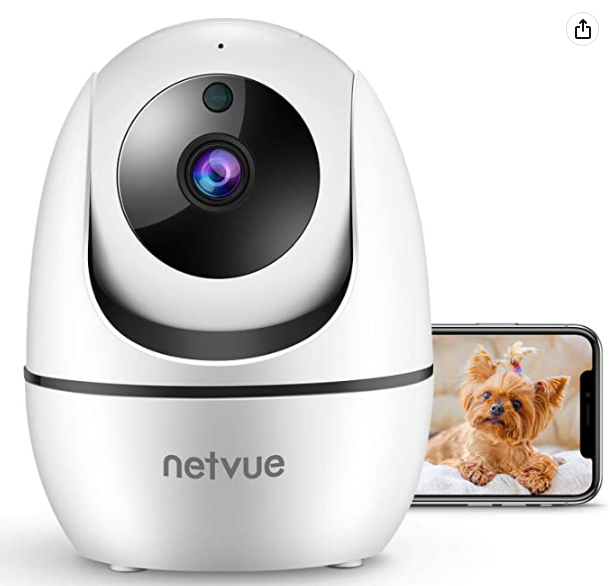
In this post I attempt to gain root access on the Netvue indoor camera via the UART interface. The Netvue indoor camera used in this project was approximately \~$25 and can be found [here](https://www.amazon.com/dp/B0899GLP7R?ref=ppx_yo2ov_dt_b_product_details\&th=1).&#x20;

### What is UART?

Universal asynchronous receiver-transmitter (UART) is a hardware serial communication interface that is commonly found on embedded devices and is typically used for debugging purposes during development.&#x20;

To put it in layman terms, a UART interface allows humans to be able to get shell access to the underlying operating system on these embedded devices, often with root privileges.

### Why is this important?

Many times, developers mistakenly leave this interface "unlocked" in production devices, allowing hackers an easy opportunity to get a root shell on the device. This opens the door to all kinds of additional attacks ranging from the ability to enumerate the underlying software and general innerworkings of the device to backdooring the device and then reselling it to unsuspecting victims.&#x20;

## Disassembling the Hardware

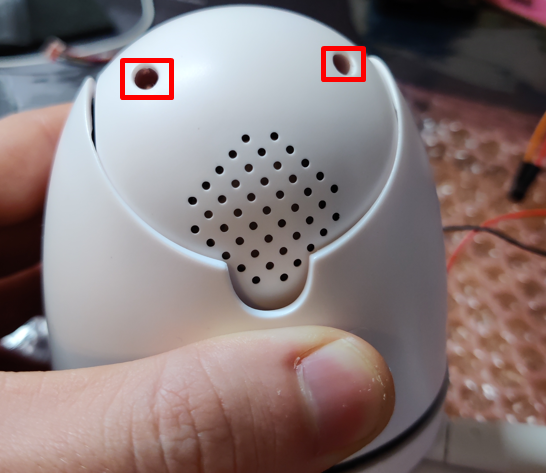
Luckily, taking apart the Netvue indoor camera and getting access to the underlying PCB was very easy. This for the most part only required unscrewing two screws towards the top-back part of the camera.&#x20;

<figure><img src="/files/ZW0AqTuJDeYxCiLNs1JZ" alt=""><figcaption><p>Figure 1: Back view of the Netvue rotating camera</p></figcaption></figure>

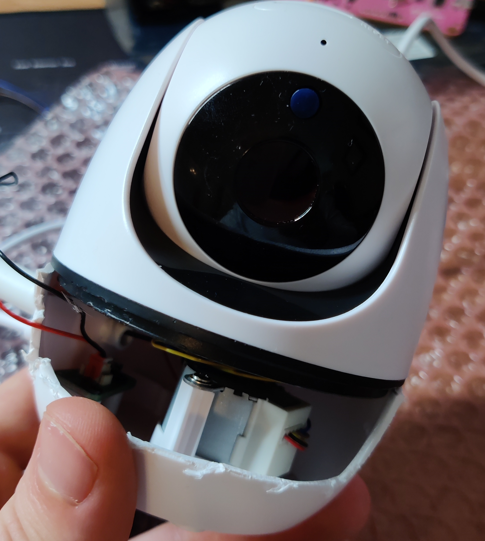
Unfortunately, in the process of taking the camera apart, I accidentally rotated the bottom portion of the base too much and tore some of the internal wiring apart. Most of these wires were for the motor to rotate the camera to different angles, but one of the wires broken included the wire that provided the PCB with external power from a USB-C plug. This resulted in me having to saw the plastic part of the base and reconnecting it manually.&#x20;

<figure><img src="/files/LsXFxfXl9OrraO3bSbx9" alt=""><figcaption><p>Figure 2: Sawed off base part of camera with exposed broken wires</p></figcaption></figure>

### Hardware Enumeration

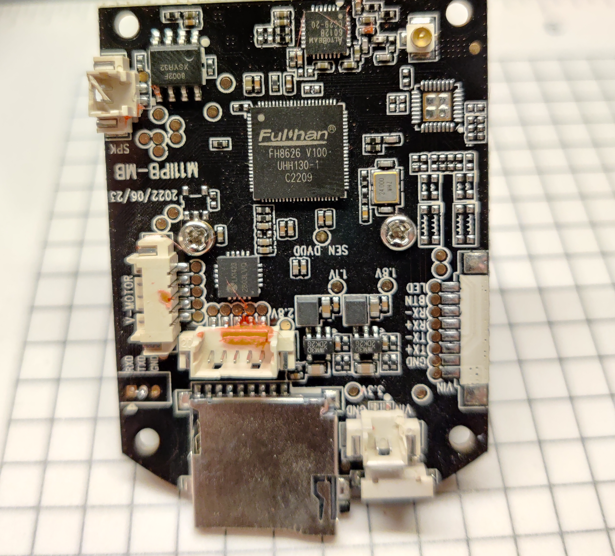
After getting physical access to the underlying PCB, the operator was able to identify some key parts.&#x20;

<figure><img src="/files/0nNuDTXEYVAcQsML7H0Z" alt=""><figcaption><p>Figure 3: Top view of the PCB</p></figcaption></figure>

I identified the SoC as a Fulhan FH8626V100. Unfortunately, I was not able to find a datasheet online for this SoC.

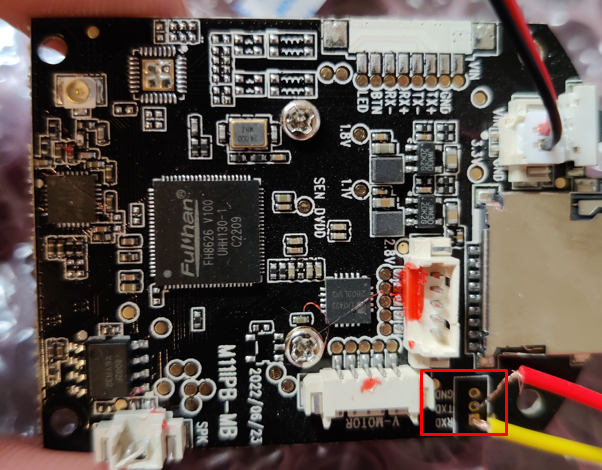
More importantly though, I was able to quickly and easily identify potential UART pins which can be seen in the above image towards the bottom right. I went ahead and soldered some makeshift wires into the pin holes since even my 2mm header pins would not fit into these pin holes.

<figure><img src="/files/ADKDrGHKa5rQQRENpspm" alt=""><figcaption><p>Figure 4: Crude UART pin soldering job</p></figcaption></figure>

I decided to utilize my Jtagulator to further verify that I soldered the wires correctly and that it was in fact a valid UART connection. For those unaware, the Jtagulator is a tool used to safely brute force a number of pins to figure out the correct combination to get a serial connection. This works on JTAG and UART connections and will even identify the correct baud rate. For more information about the Jtagulator, Joe Grand, the creator has a YouTube [chbrute forcing with jtagulator](https://www.youtube.com/watch?v=uVIsbXzQOIU)

[annel ](https://www.youtube.com/watch?v=uVIsbXzQOIU)with in depth tutorials on how to operate the device.

For this example, there were only 3 pins that were clearly labeled RX, TX, and Ground, so the Jtagulator was largely unnecessary for this project. However, in an effort to become more familiar with the tool, I opted to use it.&#x20;

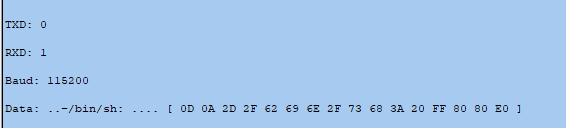
After connecting the Jtagulator to the 3 pins soldered onto the PCB, the Jtagulator was able to correctly identify a UART connection which can be seen below.&#x20;

<figure><img src="/files/aR8THR1fRb5WYMdQapx6" alt=""><figcaption><p>Figure 5: Jtagulator successfully identifying a combination of pins for UART</p></figcaption></figure>

The Jtagulator was able to successfully identify the baud rate as 115200 and the correct pin combination.(Even though it was labeled on the board) I then used pass through mode to get a UART shell.

<figure><img src="/files/6K3ZPWkNGk76WbmEHm14" alt=""><figcaption></figcaption></figure>

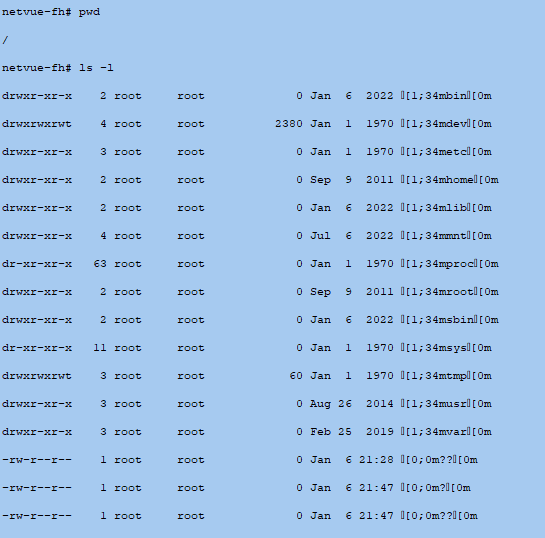
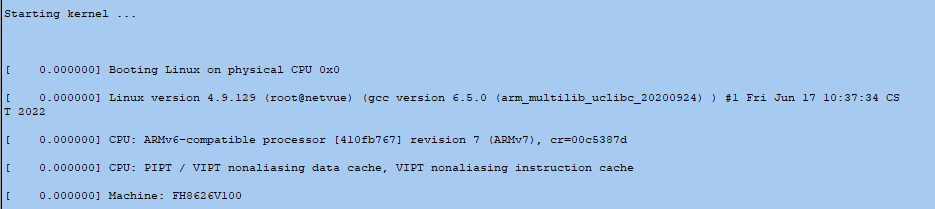
As expected, this dropped me straight into a root shell, with very limited commands. The operator was able to reboot the device and observe the U-boot logs as the device started up which revealed a lot of useful information regarding the device.

<figure><img src="/files/GQxUKTTTUBsCMRK46QxK" alt=""><figcaption></figcaption></figure>

<figure><img src="/files/3M7G4xkBNqUn5llZZJQI" alt=""><figcaption></figcaption></figure>

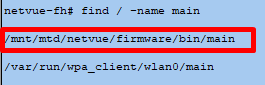
I was able to locate the main binary and extract it from the host using my own busybox binary that was downloaded onto the device.

<figure><img src="/files/hgo0IS4ydos6RrdjngXK" alt=""><figcaption></figcaption></figure>


---

# Agent Instructions
This documentation is published with GitBook. GitBook is the documentation platform designed so that both humans and AI agents can read, navigate, and reason over technical content effectively. Learn more at gitbook.com.

## Querying This Documentation
If you need additional information that is not directly available in this page, you can query the documentation dynamically by asking a question.

Perform an HTTP GET request on the current page URL with the `ask` query parameter, and the optional `goal` query parameter:

```
GET https://gitbook.hackersdog.com/blog/hardware-iot-hacking/getting-root-access-via-uart.md?ask=<question>&goal=<endgoal>
```

`ask` is the immediate question: it should be specific, self-contained, and written in natural language.
`goal` is optional and describes the broader end goal you are ultimately trying to accomplish on behalf of the user. GitBook uses it to tailor the answer towards what is most useful for that goal.

The response will contain a direct answer to the question and relevant excerpts and sources from the documentation.

Use this mechanism when the answer is not explicitly present in the current page, you need clarification or additional context, or you want to retrieve related documentation sections.